


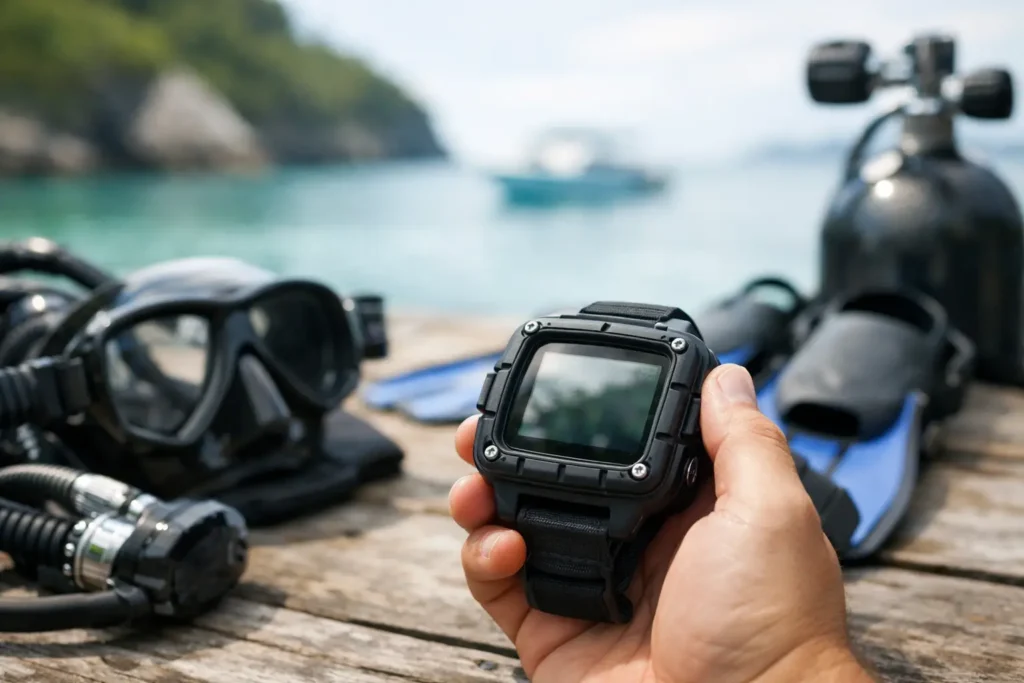
Your dive computer is the one piece of gear that stays focused when the reef, the camera, the fish, and your buddy all compete for attention. It tracks depth and time, calculates your no-decompression limit, and gives you the information needed to make a calm, safe ascent. Knowing how to choose dive computer features before a trip means you can spend less time squinting at a screen and more time enjoying the water.
For a first-time buyer, the best model is rarely the one with the longest feature list. For a frequent traveler or a certified diver planning deeper wreck dives, the answer may be different. Start with the diving you actually expect to do over the next few years, not the most extreme dive you might someday imagine.
Start With Your Real Dive Style
A recreational diver taking guided reef dives in warm, clear water needs a computer that is simple, readable, dependable, and easy to travel with. If you are completing an SSI Open Water course or have recently earned certification, a straightforward wrist computer with air, nitrox, and clear ascent alerts is usually the smart choice.
Divers who expect to make several dives a day, use enriched air nitrox, or explore deeper sites will benefit from more adjustable settings and stronger planning tools. Technical diving, sidemount configurations, and mixed-gas diving require a computer built specifically for those activities. Do not buy a technical computer solely because it looks impressive. More modes also mean more settings to understand, and your computer should never feel confusing at 80 feet.
Think about where you travel, too. In Bayahibe, warm water and excellent visibility make a bright, uncomplicated display especially easy to appreciate. In colder water, a larger screen and buttons that work with thick gloves can matter more than a slim profile.
How to Choose a Dive Computer Display You Can Read
Display clarity is one of the most valuable features you can buy. Underwater, the essential numbers are current depth, remaining no-decompression time, dive time, and ascent information. You should be able to find them instantly, even when conditions are darker than expected or you are managing task loading on a wreck or during a current change.
Color screens can make information easy to separate, but they use more battery power and can cost more. A high-contrast monochrome screen may be less flashy yet exceptionally readable in direct Caribbean sun and at depth. Neither option is automatically better. Look at the screen in person if possible, and check whether the font size feels comfortable without bringing it close to your mask.
Also consider the alert system. Audible alarms, vibration, and visual warnings each have a place. A diver with a hood or lots of ambient boat noise may appreciate vibration. What matters is that you recognize alerts without panicking and know what each one means before your first dive.
Choose the Right Air Integration Setup
Most entry-level computers calculate your dive profile based on depth and time. They do not know how much gas remains in your cylinder. An air-integrated computer receives tank-pressure data from a transmitter attached to your regulator’s first stage, then can estimate remaining gas time based on your breathing rate and current depth.
Air integration is convenient, especially for divers who value a clean hose setup, but it is not essential for safe recreational diving. A reliable analog pressure gauge remains a perfectly valid backup and teaches good gas-check habits. If budget is limited, prioritize a computer with a readable screen, nitrox capability, and controls you understand over air integration.
If you do choose a transmitter, ask practical questions. Is it easy to find a compatible replacement? Does the computer support more than one transmitter for future sidemount or multi-cylinder diving? How often does the transmitter battery need replacement? For travelers, bring your gauge regardless. Redundancy is not glamorous, but it is good diving.
Nitrox, Algorithms, and Conservative Settings
At a minimum, choose a computer that supports air and nitrox. Even if you only dive air today, nitrox is common on repeat-dive days and is a useful certification to have as your diving grows. Check the maximum oxygen percentage it accepts and how simple it is to change the setting before a dive.
Every manufacturer uses a decompression algorithm with its own approach to calculating nitrogen loading and ascent guidance. You do not need to become a mathematician to choose one. The practical question is whether the computer lets you add conservatism and whether its guidance feels clear to you.
Conservative settings can be useful when you are tired, cold, dehydrated, diving several days in a row, or returning after time away from the water. They are not a license to ignore good judgment, slow ascents, safety stops, or your dive plan. The computer provides data. You remain responsible for using it well.
If you regularly dive with a buddy who uses a different brand, do not try to force both computers to match perfectly. Follow the more conservative profile when needed, stay within the plan, and communicate before entering the water.
Battery Type Changes the Travel Experience
Rechargeable computers are convenient if you remember to charge them. They are a great fit for divers who use the device frequently, keep it on as a daily watch, and have reliable access to power between dive days. Pack the correct charging cable in your carry-on, not the bag you hope arrives with the boat.
User-replaceable batteries can be ideal for travel because a fresh battery is easy to carry and replace before a trip. The trade-off is that the battery compartment seal must be handled carefully. If you are not comfortable changing it yourself, have a dive professional do it and inspect the O-ring.
Manufacturer-replaceable batteries may offer a slimmer build or longer service interval, but they require more planning. Before buying, find out the expected battery life, whether the battery status is obvious, and how service is handled when you are away from home.
Wrist Computer, Console, or Watch Style?
A wrist-mounted computer is the most common choice because it is easy to check and stays accessible throughout the dive. Many models can also serve as an everyday watch, which is appealing for travelers who prefer one device for time, activity tracking, and diving.
A console computer is attached to your regulator hose, often alongside a pressure gauge and compass. It is larger and harder to misplace, and some divers simply prefer its familiar, no-fuss setup. The downside is that it can feel less convenient to check while managing a camera, a line, or other equipment.
Watch-style computers are compact and versatile, but compact does not always mean easy to read. If you have vision concerns or prefer a larger display, select readability over a sleek wristwatch look. Try the strap on with the exposure protection you will actually wear. A strap that fits on bare skin may not fit over a wetsuit sleeve.
Don’t Overlook Buttons, Logs, and Build Quality
A computer should be easy to operate before, during, and after a dive. Two or three well-labeled buttons can be better than an elaborate menu system. Practice changing nitrox settings, reviewing your log, and finding the plan mode while dry. You do not want to learn the controls on the boat ride out.
Logging and phone connectivity are pleasant extras, particularly if you enjoy tracking dive sites, depth profiles, and water temperature. They are not a reason to compromise on core underwater usability. Bluetooth connections can be convenient, but a computer that reliably records the dive matters more than an app with attractive graphics.
Look at water-resistance ratings, depth ratings, strap quality, screen protection, warranty coverage, and service availability. A low purchase price can become expensive if the unit is difficult to repair or if replacement parts are unavailable. Established dive brands generally provide clearer manuals, support, and access to batteries, straps, and transmitters.
Set a Budget That Includes the Whole Setup
For most new recreational divers, a dependable entry-level nitrox computer is a better investment than a premium model packed with technical functions they will not use. Save room in the budget for a protective case, spare battery or charging cable, and possibly a backup analog gauge if you add air integration.
As your experience grows, your needs may change. That is normal. A first computer does not need to serve every future specialty. The goal is to own a tool you trust enough to check often and understand completely.
At Sharky’s Crew, we see the difference that familiar, well-chosen gear makes on relaxed guided dives: divers stay aware of their profile, communicate confidently, and have more attention left for the coral, turtles, and quiet blue water around them.
Before your next trip, read the manual, set the correct gas, confirm the date and battery status, and make a few dry runs through the menus. The right dive computer is not the one that promises the most. It is the one that gives you clear information exactly when you need it, then lets you look up and enjoy the reason you came underwater.
